Take Orders, Bookings, and Requests Through Your Own Forms helps teams run forms & bookings workflows with clarity and control. Build a public form in minutes, share the link or QR code, and manage every order, reservation, and appointment from one inbox — with online payment and invoicing built in.
Take Orders, Bookings, and Requests Through Your Own Forms
Build a public form in minutes, share the link or QR code, and manage every order, reservation, and appointment from one inbox — with online payment and invoicing built in.

What Forms & Bookings does
Instead of using disconnected spreadsheets, emails, and approvals, your team works from one structured process. Core capabilities include drag-and-drop form builder with ready-made templates, share by link, qr code, or embed on your website, one inbox for every submission, with status updates to customers, so operations stay consistent as the business grows.
This means leaders get better visibility, teams spend less time on manual coordination, and finance decisions are made using reliable data rather than assumptions.
What's inside
A closer look at everything Forms & Bookings includes today.
Form builder
NewEvery form asks for the customer's name; you decide what else. Drag fields to reorder them, set them to half width, and preview the form exactly as customers see it.
- Short and long answers, email, phone, number, and checkbox
- Dropdowns and multiple choice
- Date, date range, time, time range, and date and time
- File uploads (PDF or photo, up to 8 MB)
- Products from your inventory, booking time slots, and number of people
- Headings and text blocks for instructions
Templates to start fast
NewPick the kind of form you need and every field is set up for you. Change anything afterwards.
- Shop order — products, quantities, delivery or pickup
- Rental request — equipment, vehicles, or venues with dates and ID upload
- Table reservation — time slots with a seat limit per slot
- Room or apartment booking — check-in and check-out dates
- Appointment — one-to-one time slots for salons, clinics, and consultants
Share anywhere
NewEach published form gets its own public link. Unpublish it at any time and the link shows that the form is not available.
- Copy the link or download a QR code as a PNG
- Embed code to place the form on your own website
- Reset the link if it was shared somewhere it shouldn't be
- Your button colour and your own introduction and confirmation messages
Submissions inbox
NewOrders, bookings, and requests from all your forms in one place, with a separate view of upcoming bookings.
- Search by name, email, phone, or reference, and filter by form or status
- New, confirmed, in progress, completed, declined, or cancelled
- Customers get an email when you confirm, decline, complete, or cancel
- Internal notes only your team can see
- Export to CSV
Payments and invoicing
NewCollect nothing, let customers choose to pay online, or require payment before a request is accepted.
- Charge a fixed amount, a percentage deposit, or the total of the products picked
- Paystack, Stripe, or Flutterwave through your own merchant account
- Online payments are recorded as sales income automatically
- Create an invoice or receipt from any confirmed request — online payments already made are applied to it
Built into the rest of ParmLedger
NewSubmissions are not a dead end. They connect to your customers, orders, branches, and team.
- Link a submission to an existing customer or create a new one
- Turn picked products into an order to prepare and invoice
- Assign a form to a branch so payments are recorded there
- Choose which team members are notified of new submissions
- Customers can check the status of their request from a private status page
How it works in your business
Step 1: Drag-and-drop form builder with ready-made templates
Start from a template — shop order, rental request, table reservation, room booking, or appointment — or build from scratch. Drag fields into place and change any field's type without starting over.

Step 2: Share by link, QR code, or embed on your website
Publish the form and share its link on social media, WhatsApp, your website, or a printed QR code on menus, flyers, and shop windows.
Step 3: One inbox for every submission, with status updates to customers
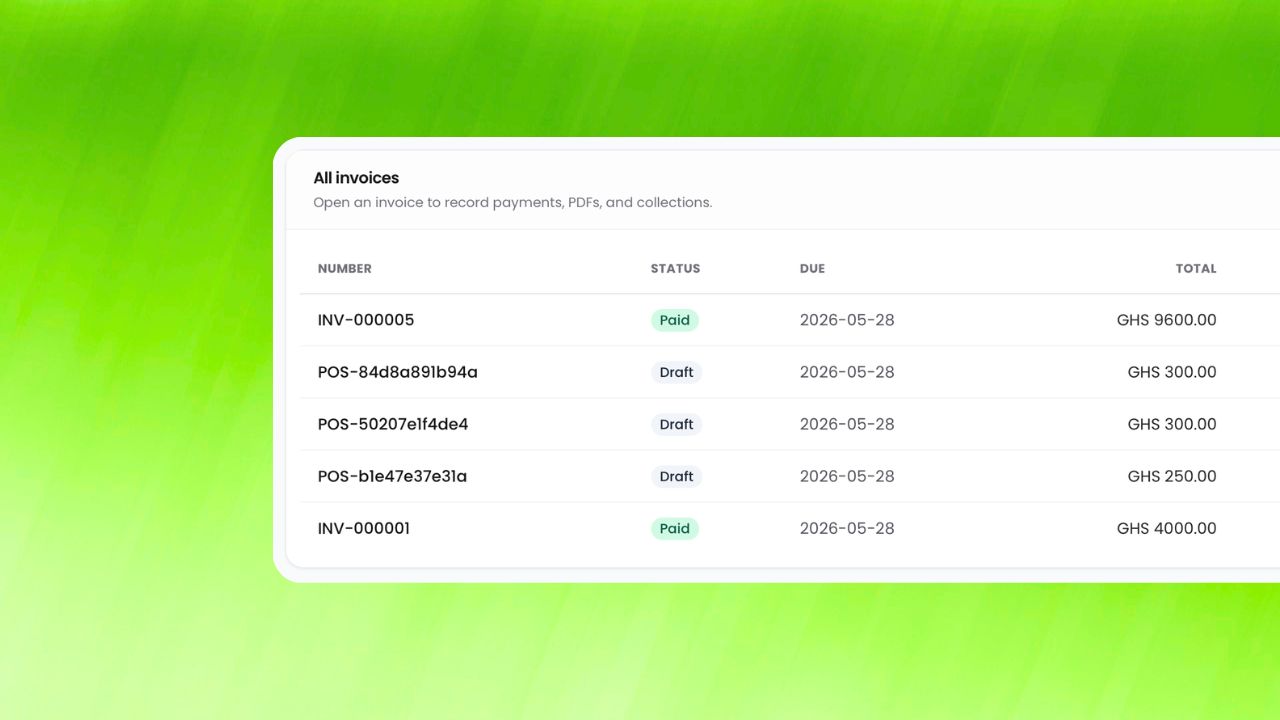
Submissions arrive in one inbox. Confirm, decline, or complete each one, and the customer is emailed automatically. Turn requests into orders, customers, and invoices in a click.
How businesses benefit
Business impact 1
Stop taking orders and bookings by phone and chat by replacing manual back-and-forth with a single workflow that is easier to monitor, easier to audit, and easier to scale.
Business impact 2
Never double-book a time slot by replacing manual back-and-forth with a single workflow that is easier to monitor, easier to audit, and easier to scale.
Business impact 3
Get paid before the customer walks in by replacing manual back-and-forth with a single workflow that is easier to monitor, easier to audit, and easier to scale.
Works well with
Built for growing teams
Run forms & bookings with less friction and more confidence.
ParmLedger gives finance and operations teams one reliable operating layer. You spend less time fixing process gaps and more time improving profitability, compliance, and execution speed.