Turn Financial Data into Action helps teams run accounting & tax workflows with clarity and control. Turn financial data into action with clear dashboards, trend charts, and decision-ready reports. No more waiting for reports to be generated or insights to be discovered.
Turn Financial Data into Action
Turn financial data into action with clear dashboards, trend charts, and decision-ready reports. No more waiting for reports to be generated or insights to be discovered.
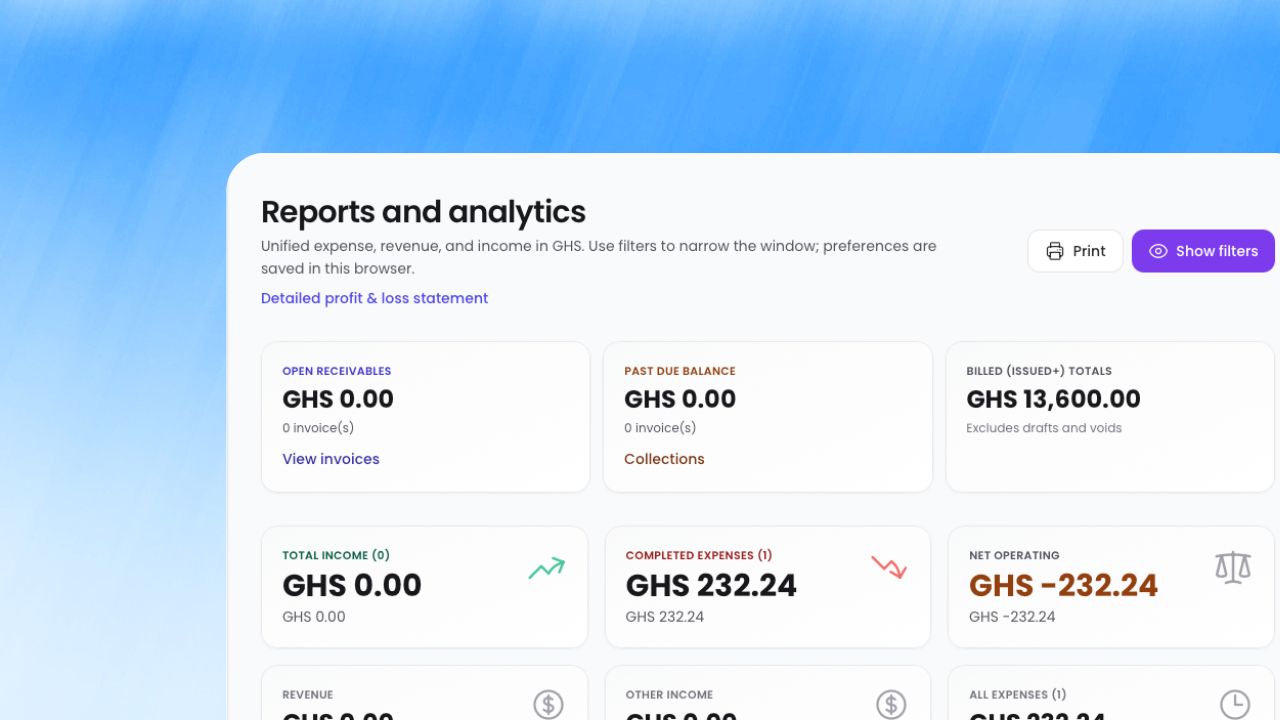
What Reporting & Analytics does
Instead of using disconnected spreadsheets, emails, and approvals, your team works from one structured process. Core capabilities include profitability and cashflow dashboards, p&l, trial balance, balance sheet, and cash flow reports, branch consolidation and project profitability views, so operations stay consistent as the business grows.
This means leaders get better visibility, teams spend less time on manual coordination, and finance decisions are made using reliable data rather than assumptions.
What's inside
A closer look at everything Reporting & Analytics includes today.
Custom report builder
NewPick a data source, the columns you need, and a period. Run it to preview, then save it and run it again next month without rebuilding filters.
- Sources draw on the same ledger, expense, invoice, and tax data as the rest of the workspace
- Summary figures and charts calculated from each run
- Export any saved report
Customizable dashboard
NewChoose which cards appear on your dashboard and drag them into the order you want. New workspaces start with a layout suited to their business type.
Budget vs actual
Compare completed spend with your budget lines by month, category, and branch, and see which categories are furthest over budget.
- Budget vs actual by category and by branch
- Top over-budget categories at a glance
- Purchase requests warn when they exceed what's left in the budget
Financial statements
Profit and loss, balance sheet, cash flow, trial balance, and general ledger, with branch consolidation and project profitability.
- Filter by period, branch, department, project, status, and category
- Best-selling products across orders and POS
- Module reports for procurement, manufacturing, fixed assets, and hotel
How it works in your business
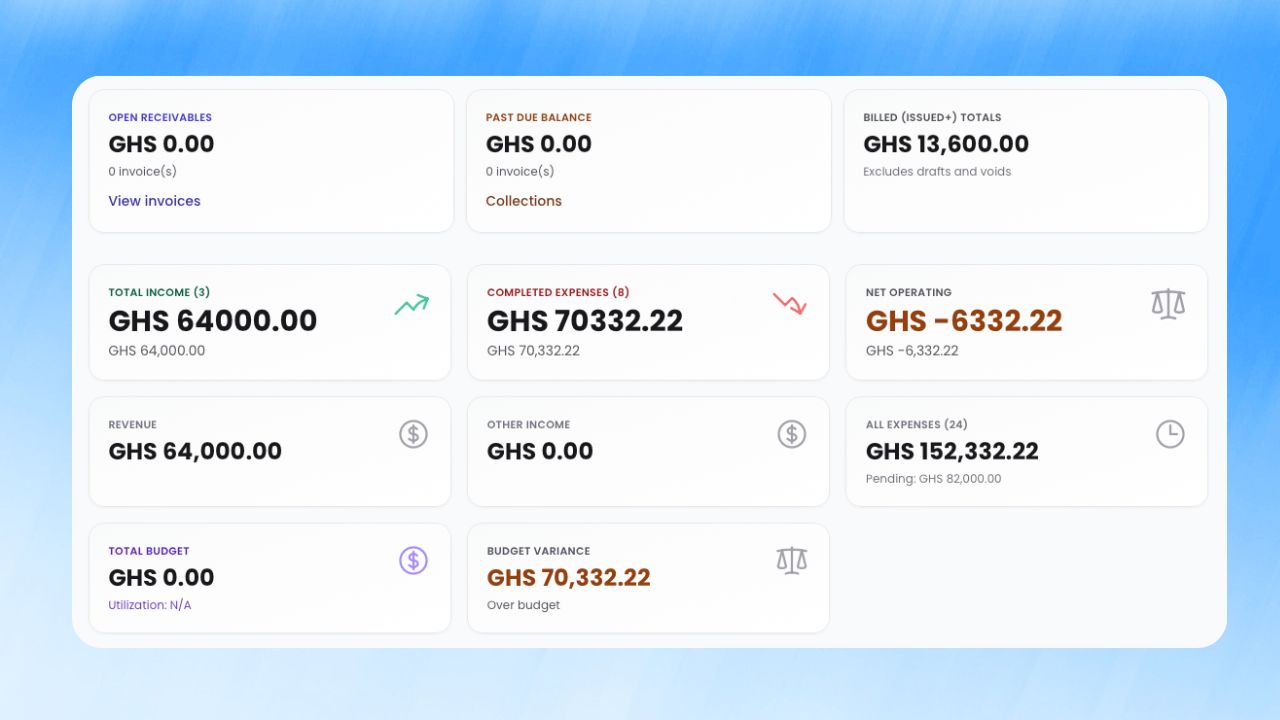
Step 1: Profitability and cashflow dashboards
All approved activity — expenses, income, invoices, payroll — feeds into unified reporting automatically.
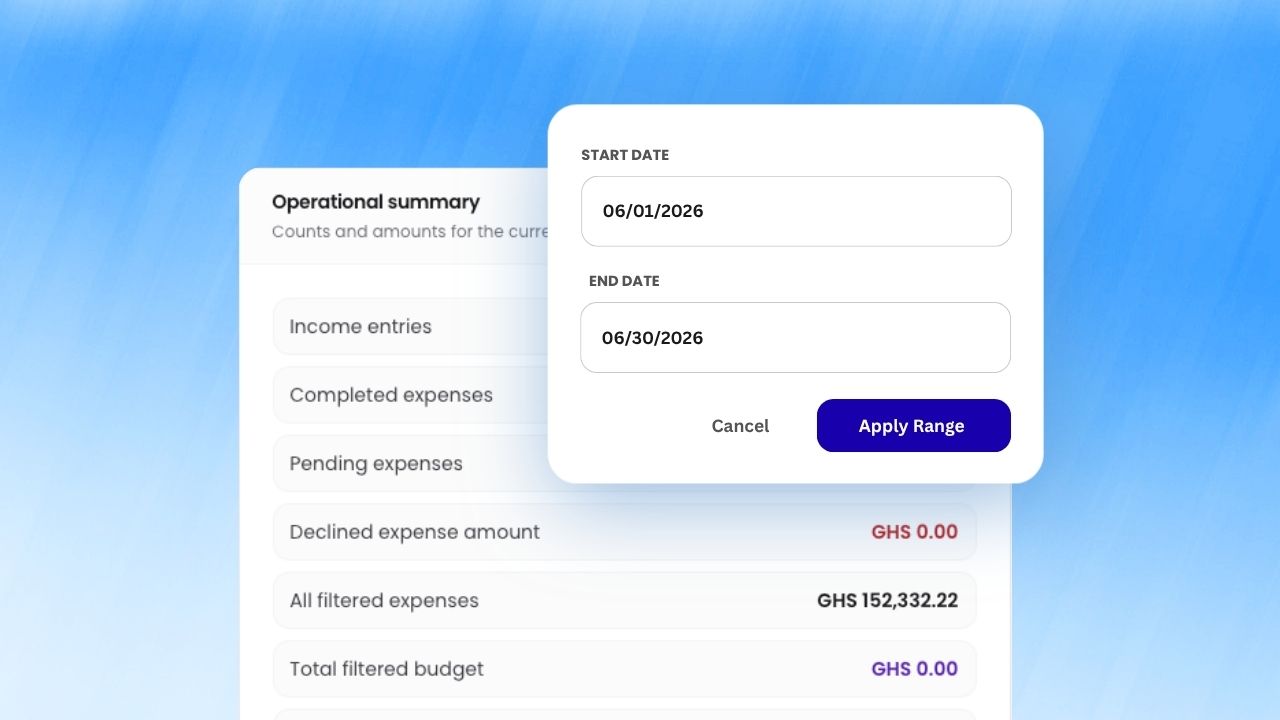
Step 2: P&L, trial balance, balance sheet, and cash flow reports
Filter by department, branch, project, or date range to see the metrics that matter to your team.
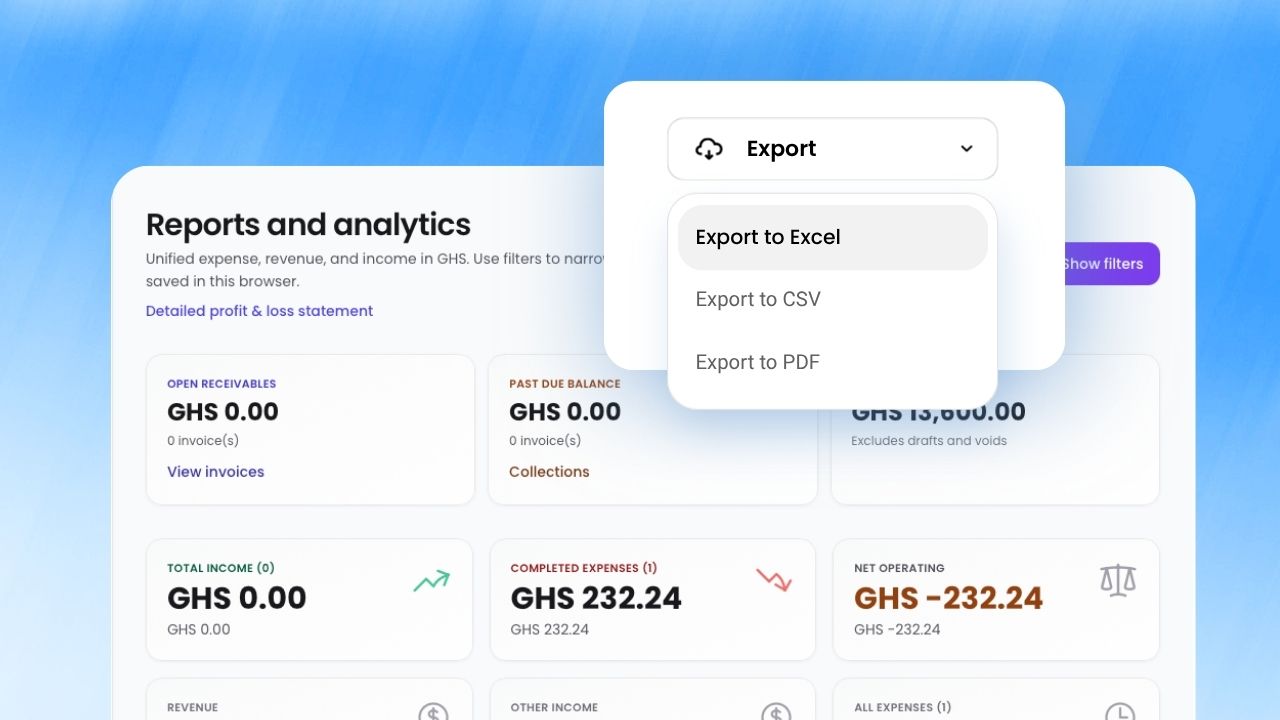
Step 3: Branch consolidation and project profitability views
Export clean reports to share with leadership, lenders, or your accountant at month, quarter, or year end.
How businesses benefit
Business impact 1
Make faster strategic decisions with confidence by replacing manual back-and-forth with a single workflow that is easier to monitor, easier to audit, and easier to scale.
Business impact 2
Track goals with confidence by replacing manual back-and-forth with a single workflow that is easier to monitor, easier to audit, and easier to scale.
Business impact 3
Share clean reports with stakeholders to close your books faster each period by replacing manual back-and-forth with a single workflow that is easier to monitor, easier to audit, and easier to scale.
Works well with
Built for growing teams
Run reporting & analytics with less friction and more confidence.
ParmLedger gives finance and operations teams one reliable operating layer. You spend less time fixing process gaps and more time improving profitability, compliance, and execution speed.